⚡
Starts instantly
No runtime, no browser, no splash-screen wait. A native C++20 binary with an OpenGL viewport that stays smooth on large drawings.
superCAD is a desktop CAD application written in C++20 on Qt 6 and OpenGL. It starts instantly, draws with 44 tools, and keeps your drawings in formats you can open in any other CAD, CAM or vector package.
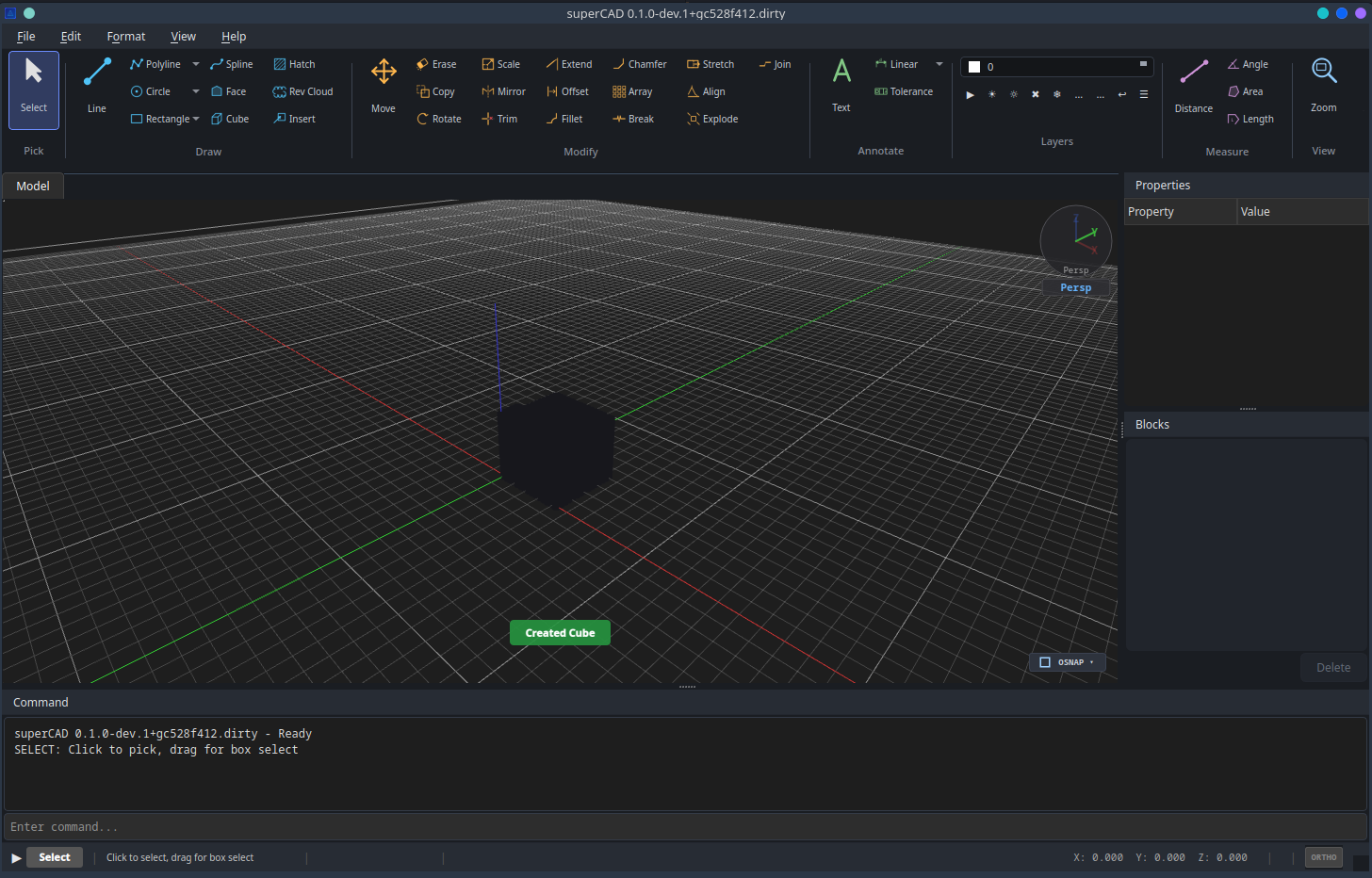
Native code, a GPU-drawn canvas and a command line for people whose hands live on the keyboard.
No runtime, no browser, no splash-screen wait. A native C++20 binary with an OpenGL viewport that stays smooth on large drawings.
Line, circle, arc, rectangle, ellipse, polyline, spline, polygon and revision cloud, with object snapping and ortho mode throughout.
Move, copy, rotate, scale, mirror, trim, extend, offset, array, break, fillet, chamfer, stretch, align, join and explode.
Linear, aligned, radial, diameter, angular, ordinate and tolerance dimensions, text with a bundled font library, hatching and blocks.
Faces, cubes and mesh editing in a perspective viewport with orbit navigation, exported straight to STL for printing.
Every tool has a command. Type it, feed it coordinates, and undo or redo any step. Layers, multi-view layouts and properties stay a panel away.
Grouped the way the ribbon groups them. Every one of them is also a typed command.
14 tools
17 tools
8 tools
4 tools
Organise
Viewport
Open what your clients send you and hand off to whatever comes next: another CAD, a laser, a mill, a 3D printer.
| Format | Used for | Direction |
|---|---|---|
| DXF | The lingua franca of 2D CAD. Exchange drawings with AutoCAD, LibreCAD, SolidWorks, Fusion and every CAM package. | Import · Export |
| DWG | Native AutoCAD drawings, read directly with superCAD's own R2004 reader, entities included. | Import |
| SVG | Vector exchange with illustration tools, documentation, web and laser cutters. | Import · Export |
| STL | Meshes for 3D printing and mesh-based CAM, straight from the 3D tools. | Export |
| G-code | Toolpaths for CNC routers, plotters and laser engravers, generated from your 2D geometry. | Export |
| CSV | Point lists from spreadsheets and scripts, brought in as points, lines or a polyline. | Import |
| .scad native | Lossless project format with layers, blocks, dimensions and view state. | Open · Save |
Enter a valid license key to unlock the Windows installer and the Linux AppImage. The key is checked against the license server in real time.
Your key is verified by the license server and the installer is served only to valid keys. The same key activates the application after installation.
No key yet? Request a license →
Pick the build for your operating system.