
Overview
The whole study workflow in one tool
A single-line editor with 52 component types, 37 analyses on one model, results on the diagram and reports in common formats.
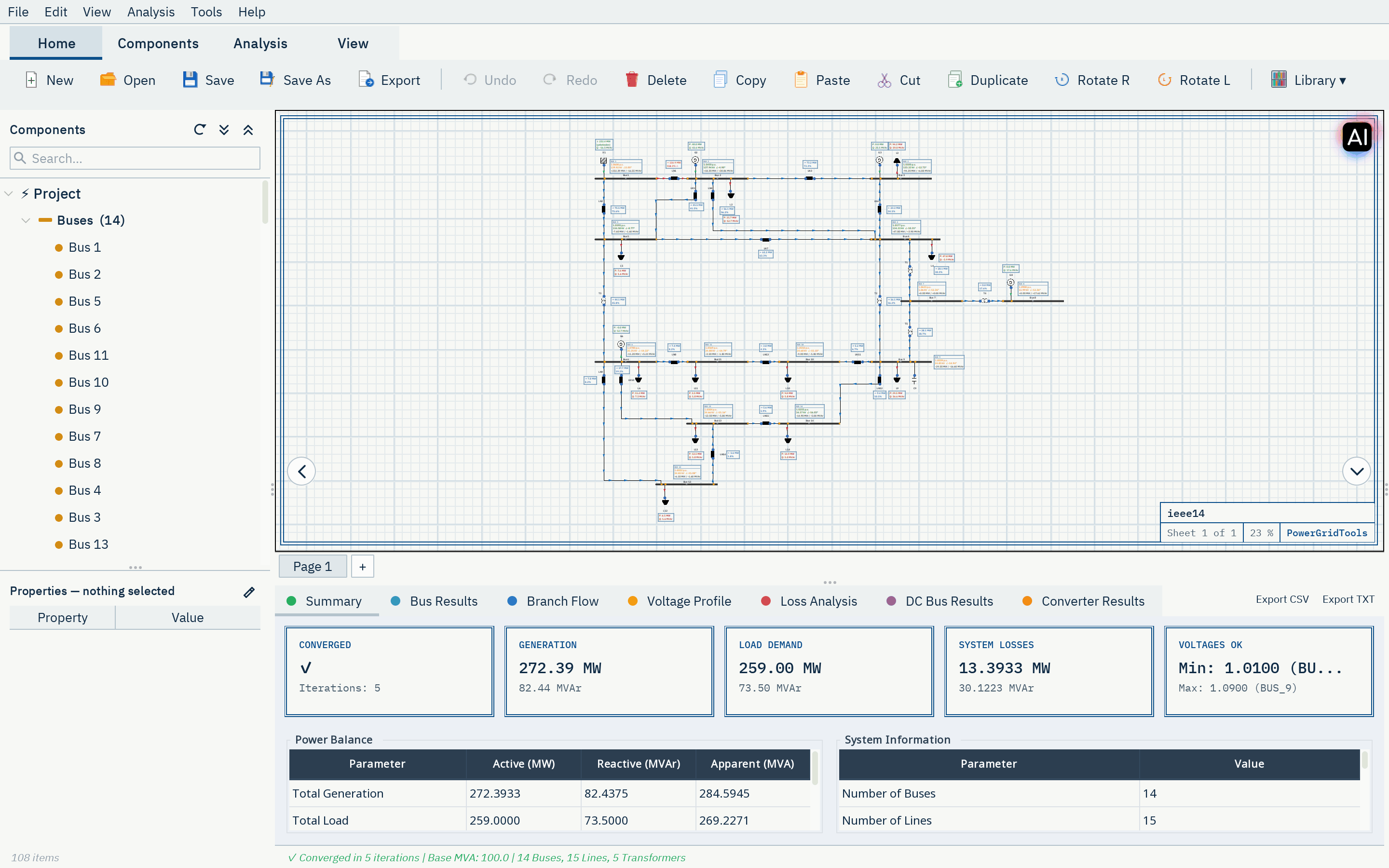
Single-line editor
Draw the network with 52 component types: sources, loads, storage, converters, buses, branches, switching devices, protection, compensation, harmonic sources and measurement.
- Multiple pages, linked with bus links
- Undo and redo, revisions with snapshot and restore
- Automatic arrangement of a page, undone with a single step
- Component libraries for cables, generators and relay curves

Results where you work
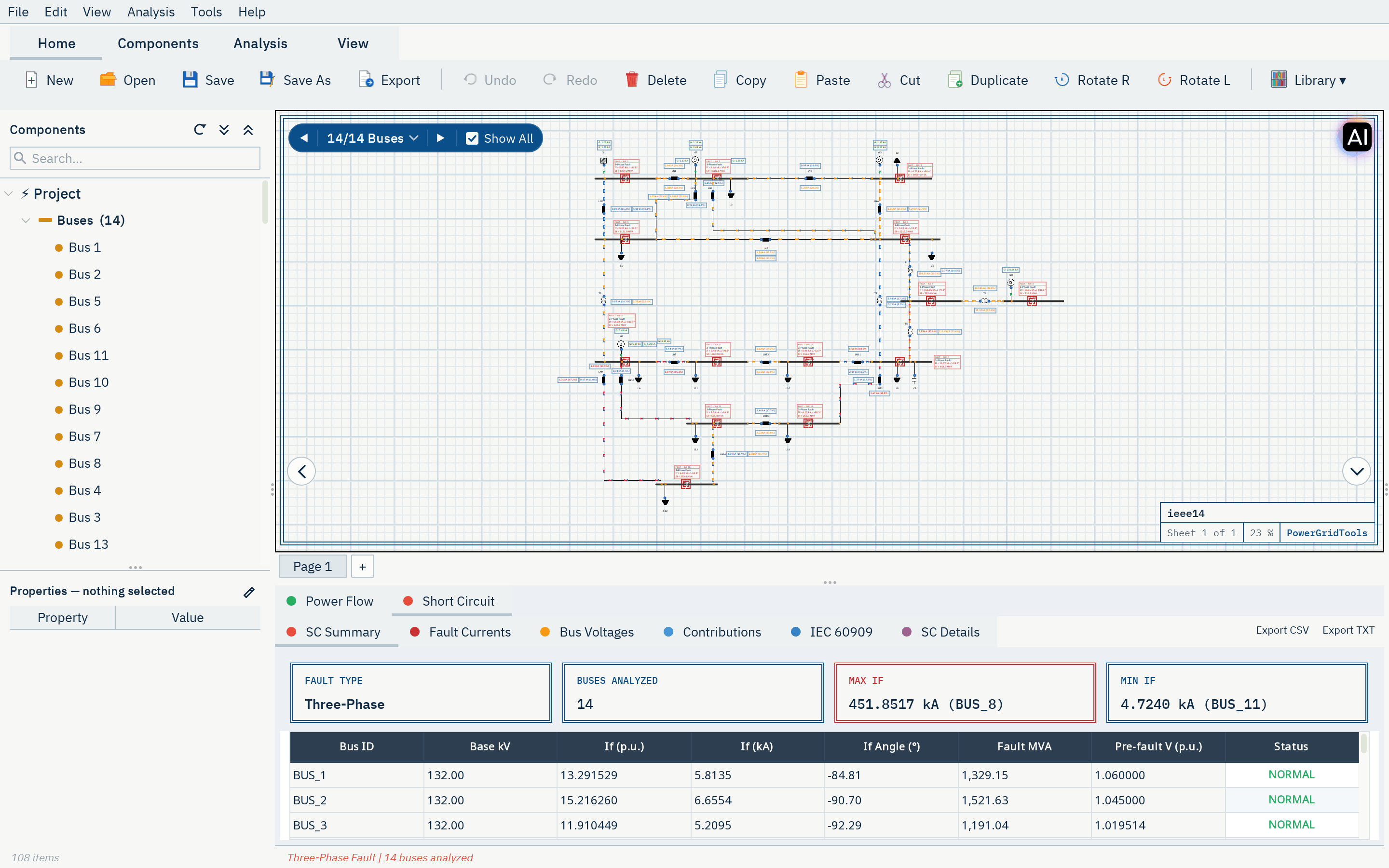
Load-flow and short-circuit results are drawn next to the elements they belong to. Step through faults bus by bus or show all of them at once, and open the result tables for the details.
Exchange data with other tools
Bring existing networks in, and hand results and drawings over to colleagues and other programs.
| Format | Import | Export | Notes |
|---|---|---|---|
| IEEE Common Data Format | IEEE CDF | — | The classic IEEE test-case format. |
| PSS/E RAW | rev. 29–34 | rev. 33 | Siemens PSS/E power-flow data; compressed files are accepted. |
| PSS/E DYR | GENROE, GENROU, GENSAL, ESST1A, ESAC1A, IEEEST, CSVGN1 | — | PSS/E dynamic models of machines, exciters and stabilizers. |
| CGMES | 2.4.15, 3.0 | 2.4.15 (EQ, TP, SSH, SV) | ENTSO-E Common Grid Model Exchange Standard (IEC 61970-600). |
| PowerFactory DGS | ASCII 5–7 | — | DIgSILENT PowerFactory data exchange. |
| DXF | page background | R12 | CAD drawings as a page background; diagrams for CAD. |
| SVG | — | diagram | The diagram as a vector graphic. |
| — | reports | Study reports. | |
| Word (.docx), Excel (.xlsx) | — | reports | Study reports as Word documents (optionally from your template) and Excel workbooks. |
Which formats are available can depend on the package.
In the browser and on the desktop
Browser app
Sign in and work in the browser without installing anything. Projects are saved to your drive.
Online desktop client
The same application as a desktop program; analyses run on PowerGridTools servers.
Offline desktop product
For organizations that need it: the analysis engine runs on your own computer, activated with your account.
Checked against references
The engine is compared with published books, standards and papers, closed-form solutions and other programs such as OpenDSS, ANDES, MATPOWER, PowSyBl and pvlib. There are 141 documented reference cases; 107 match in every compared value, and the remaining cases are documented as open.
Ready to study your network?
Request access for an evaluation account, or talk to us about a package for your team.